

![[]](/sites/all/modules/ubercart/uc_cart/images/bullet-arrow-up.gif "Expand cart block.")
There are no products in your shopping cart.
Pull This Up, "Print" and Give/Post! Thanks!


Sun, 02/07/2010 - 12:07pm


YOU can help others find out about Lumigrate.com by simply hitting the "Print" key below and then either copying that in another copier (which can be cheaper and faster), or making multiples in this way. So if YOU are reading this, HELLO and WELCOME! 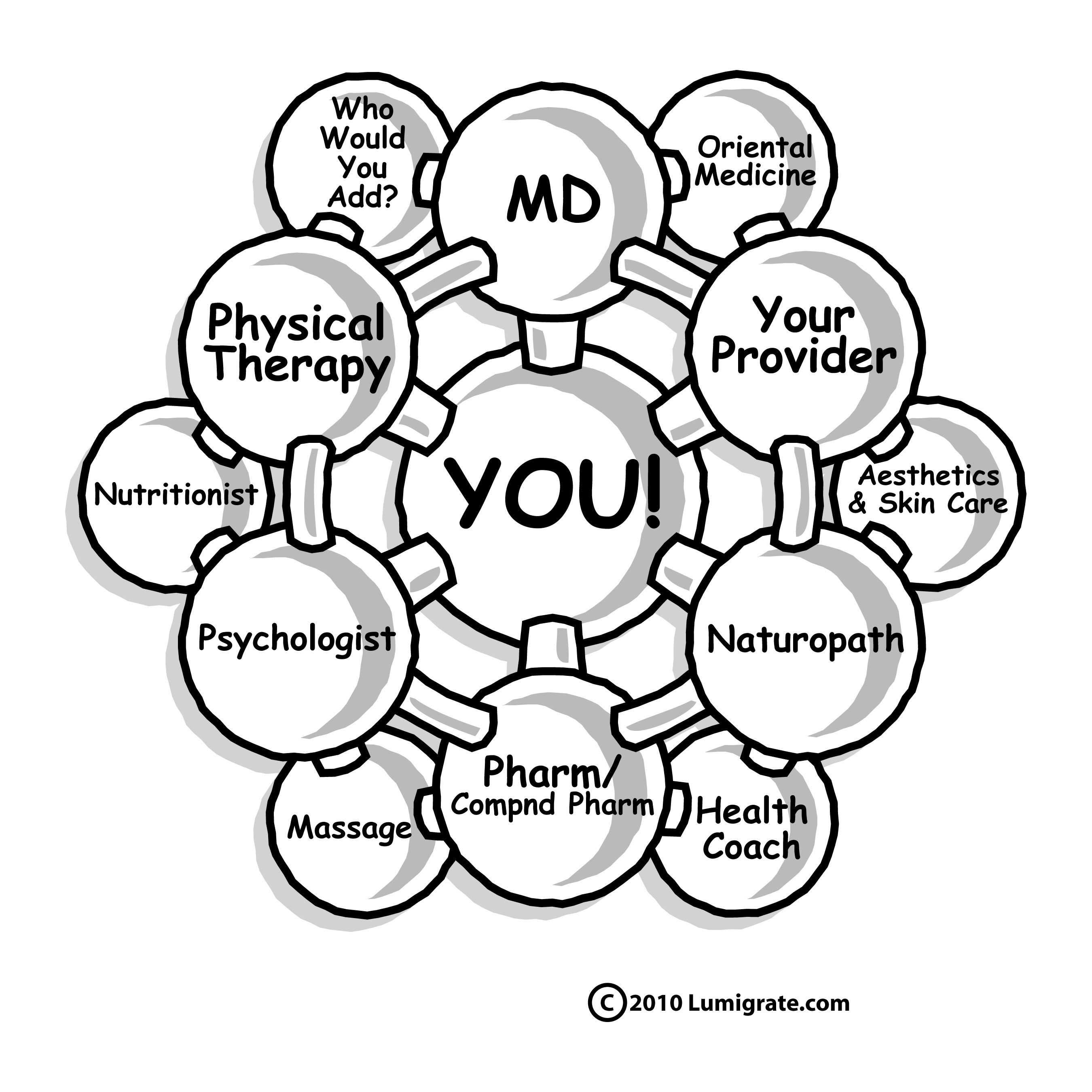
We hope you'll come to Lumigrate.com and learn about "Integrative Medicine" and how to YOU are the center of your health care team and utilize medical providers differently. Our concepts are to shift to thinking more holistically about foods, supplements, herbs, medications and think "mind / body / spirit". Currently centered around chronic pain, we hope to expand out and have 'something for everyone' who wants
Valid, Progressive, Streamlined and FUN! information at their fingertips.
We have a Yenta in the Spirituality Forum and a nail expert in the Aesthetics Forum that ARE for everyone, and show how much the Lumigrate Group people contribute together -- medical providers and consumers who 'are in the know'. Everyone can help us grow and help more people by being our liaisons for marketing as well as writing what they know about things in the Forums area. The Scoop:
To find/print this page that you are looking at right now if YOU want to be an 'ambassador' for us:
- Go to Lumigrate.com
- Hit "Forums". At the very top is an area that is for when you want to start writing -- how to add your photo and other pictures or images if you want. Underneath that is an area that is about World-Wide Learning from each other, and within that area is a Forum titled "What YOU Can Do To Help Get the Word Out' and then this is "Pull This Up, Print .. Give It/Post, THANKS! (The link, by the way is: www.lumigrate.com/forum/pull-print-and-givepost-thanks
- Click into that Forum and at the bottom right you'll see a "Print" button. When you hit that, you'll get this to your screen. Then do whatever you normally do to print from your screen (Control P for us). EASY as 1, 2, 3! Thanks again so much, and I HOPE you find Lumigrate helpful as a tool for your health!

__________________
Live and Learn. Learn and Live Better! is my motto. I'm Mardy Ross, and I founded Lumigrate in 2008 after a career as an occupational therapist with a background in health education and environmental research program administration. Today I function as the desk clerk for short questions people have, as well as 'concierge' services offered for those who want a thorough exploration of their health history and direction to resources likely to progress their health according to their goals. Contact Us comes to me, so please do if you have questions or comments. Lumigrate is "Lighting the Path to Health and Well-Being" for increasing numbers of people. Follow us on social networking sites such as: Twitter: http://twitter.com/lumigrate and Facebook. (There is my personal page and several Lumigrate pages. For those interested in "groovy" local education and networking for those uniquely talented LumiGRATE experts located in my own back yard, "LumiGRATE Groove of the Grand Valley" is a Facebook page to join. (Many who have joined are beyond our area but like to see the Groovy information! We not only have FUN, we are learning about other providers we can be referring patients to and 'wearing a groove' to each other's doors -- or websites/home offices!) By covering some of the things we do, including case examples, it reinforces the concepts at Lumigrate.com as well as making YOU feel that you're part of a community. Which you ARE at Lumigrate!
 print
print e-mail
This forum is provided to allow members of Lumigrate to share information and ideas. Any recommendations made by forum members regarding medical treatments, medications, or procedures are not endorsed by Lumigrate or practitioners who serve as Lumigrate's medical experts.
